Hedgehog IT

Microsoft Publisher – Reaching End of Life in 2026

9th March 2026

Microoft 365 logo icon

Still using Microsoft Publisher? …this one’s for you!

Microsoft has last week announced, that Microsoft Publisher will be formerly retired as of October 2026.

While that may seem a way off, it really isn’t, and if you’re using Publisher as any part of your regular work flow, or even if you have old or archived files that you need to remain accessible for any reason later down the line, you will need to take action in order to preserve them.

Once October 2026 arrives (and passes), Microsoft Publisher will no longer be included with Microsoft 365 and users will no longer be able to open or edit Microsoft Publisher files using the application. Until then, everything will remain and continue to work as it always has done, so there’s no immediate need to worry, but if you are likely to be impacted by this, we recommend planning ahead.
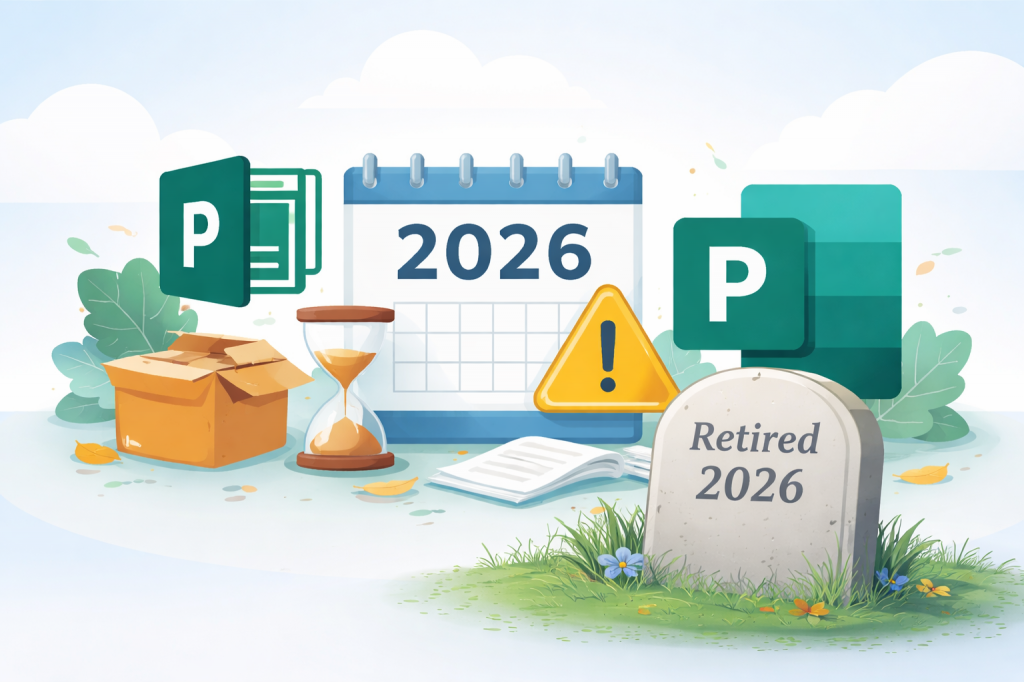
Microsoft Publisher impending retirement graphic

What does this mean for my existing files?

If your business has files saved in the Publisher .pub format, it’s very important to get ahead of this to avoid loss of access to your files or disruption to your workflow. After Publisher is removed from Microsoft 365, those files won’t open unless they’ve been converted into another file format beforehand.

The simplest approach is to convert your Publisher documents into PDF format, so that they remain accessible for you moving forward. If you need to continue editing your Publisher (.pub) files, those PDFs can also be converted into formats that work with other Microsoft applications, to maintain edibility.

Businesses with a large number of Publisher files should definitely seek to automate batch conversion to save time and make the process more efficient.

What can I use instead?

The good news is that many of the functions, projects and tasks people use Microsoft Publisher for, can already be accomplished using other Microsoft 365 apps.

Microsoft Word for instance can be used for newsletters, forms, letterheads, envelopes and labels. Even to create flyers, brochures, business cards and certificates – a trait shared with its brother, Microsoft PowerPoint, which also excels at posters and banners.

Microsoft has expanded its library of templates in both of these, making them great alternatives that you likely already have access to and in some cases, is even easier to recreate designs in, without needing the ageing Publisher app (ahem), ‘program’.

What next?

There’s no immediate action required right now, but it is a good idea to start identifying whether your business regularly uses Microsoft Publisher or has files you need to remain accessible (editable?), that which may need converting before the 2026 deadline.

If you’re unsure where Publisher may be being used within your business, or if you’d like help planning the best way to migrate your documents, our team is happy to help.

We can review organisation files, help determine use-basis and take care of the preservation or migration process depending on your business requirements. Feel free to get in touch with us if you’d like advice on preparing for the change, converting files, or exploring the best alternatives for you.


Post Tag icon 365 Industry News Microsoft 

Meet “Mico” – Microsoft’s friendlier, more natural way to use Copilot

17th November 2025

Microoft Copilot logo

Microsoft has rolled out a fresh new face for Copilot, and it’s likely to catch the attention of anyone who finds talking to AI, that little bit awkward. The new avatar, called Mico, is an expressive, floating character designed to make voice interaction feel more natural and less robotic.

Mico shifts shape, reacts visually to your tone and changes colour as conversations unfold. It’s optional, light-hearted, and yes, if you tap it enough it transforms into Clippy for a 90′s dose of nostalgia!

But beneath the fun element is a serious usability benefit. Many users, especially in busy small businesses, hesitate to use voice commands or conversational tools because the experience doesn’t feel intuitive. Mico’s goal is to lower that barrier and make AI feel more approachable, especially for those who prefer speaking over typing.

Animation of Mico, Microsoft's Copilot avatar

This is what Mico looks like while you’re chatting. (Image credit: Microsoft)

This introduces much more than just a visual refresh; one of the biggest updates is Copilot Group Chat, allowing up to 32 people to collaborate with a single Copilot instance, all at once. Whether it’s a team meeting, project planning session, or classroom environment, Copilot can summarise discussions, propose ideas, track votes and help split tasks. For small businesses juggling multiple roles and limited time, this could streamline group decision-making in a way traditional chat tools simply can not.

Another notable addition is Real Talk - a mode in which Copilot can push back if your assumptions or statements are off-track. Instead of acting like a passive “yes-bot”, Copilot can challenge inaccuracies, especially during sensitive or important discussions. This is a useful safeguard in environments where reliable information matters.

These updates sit within Microsoft’s broader Copilot Autumn Release, signalling an ongoing shift toward AI that’s more collaborative, more transparent and more approachable. For small businesses already using Microsoft 365 (or thinking about adopting Copilot) these updates offer clear advantages; easier collaboration, more honest answers, and more natural interactions translate to smoother workflows and better productivity.

If your business is considering how to integrate Copilot effectively, or you’d like guidance on AI readiness, governance, or deployment, Hedgehog IT can help you plan and implement an AI strategy that is secure and tailored to your specific business operations.

Reach out to discuss integrating Copilot into your business.

Post Tag icon 365 Copilot Microsoft 

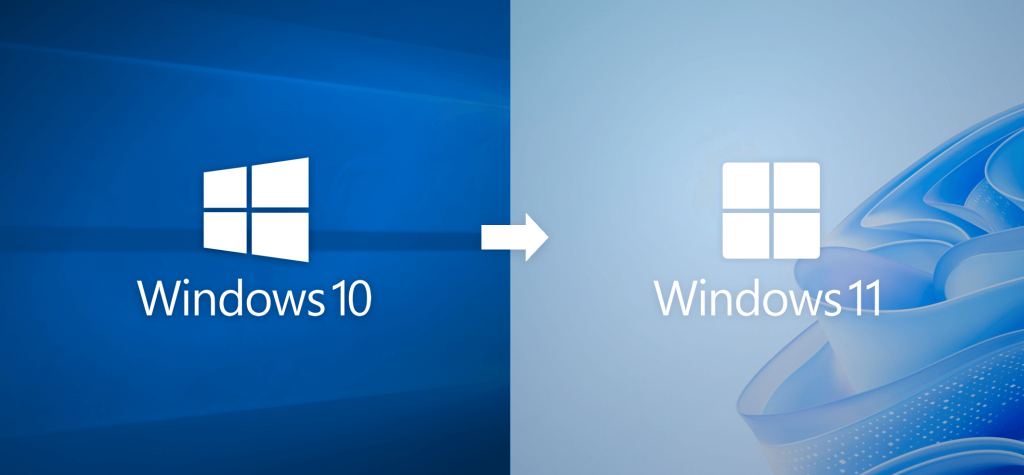
Windows 10 Support Ends Today …let us help you move to Windows 11

14th October 2025

Microsoft Windows 11 logo

Microsoft has officially ended support for Windows 10 as of 14th October 2025. That means no more security patches, feature updates, or technical fixes for the this version of Windows.

For businesses still running Windows 10, this change isn’t just an inconvenience; staying on an unsupported OS increases the risk of data breaches and can gradually limit what your devices can do. It’s a real security and reliability concern. Without updates, your systems are more prone to compliance risks, software compatibility issues and more vulnerable to cyber threats.

Upgrade to Windows 11 with confidence

We know your priority is keeping your business running – not managing IT upgrades. Hedgehog IT can fully manage your migration to Windows 11, working with you to ensure a smooth transition so your business remains functional and your workflows uninterrupted.

From assessment to implementation and post-upgrade support, our team will facilitate the upgrade in partnership with you. We take the time to understand your specific needs right from the start. Your input helps shape and mould the upgrade process around your business so that the transition feels seamless, tailored, and fully supported, with minimal disruption and maximum peace of mind.

Upgrade to Windows 11, with Hedgehog IT

Here’s our Windows 11 upgrade process:

  • Compatibility Checks: We’ll assess your current systems and determine what’s needed to move smoothly onto Windows 11, recommending component upgrades where necessary and possible rather than full PC replacements, to keep costs as low as possible.
  • Planning & Preparation: We’ll map out the transition in collaboration with you and conduct any prep-work so the update happens with minimal disruption to your daily operations. This can also be done over a span of time, a number of systems at a time, if preferred.
  • Migration & Configuration: Our team will take complete care of the technical aspects; backing up and securing data, upgrading devices, ensuring all of your essential apps and settings remain functional and are where you expect them to be. This process along with our unique-brand of tailoring and optimising helps to make the most out of your system’s hardware capabilities – and minimises any disorientation users may have with the new Windows 11 interface.
  • Post-Upgrade Support: Once the update is complete and you’re up and running, we remain on-hand to fine-tune aspects, handle any bugs and support your team as they adjust to Windows 11.

Upgrading to Windows 11 doesn’t have to mean downtime or disruption – we make it a seamless, secure, and stress-free experience.

Working closely with you, we plan carefully, communicate clearly and manage all of the technicalities for you. The result is a smooth, considered, controlled and efficient transition that avoids unnecessary expense or effort. With Hedgehog IT, your operations stay protected, productive, and uninterrupted throughout the move.

Ready to leave Windows 10 behind?

Windows 10’s end of support is a serious milestone — but with the right partner, the transition can be quick and hassle-free.

Let us take the lead.

We’ll assess your systems, identify any issues, specific requirements and design an optimal course of action planned around you and your business operations; managing all steps from start to finish.

We’re happy to conduct a preliminary Windows 11 Compatibility Check and answer any questions. If you’d like advice or to discuss your specific requirements and ensure your business remains future-ready don’t hesitate to reach out today.

Post Tag icon Industry News Microsoft Windows 

Windows 11 25H2 is here: but what does it mean for your business?

30th September 2025

Microsoft Windows 11 logo

Microsoft has rolled out 25H2 – the latest major update to Windows 11.

If your business systems are running last year’s major release (24H2) then this installation should be fairly straight forward. Think “enablement package” – all the benefits with minimal downtime.

Windows 11 25H2 update graphic

What’s New in Windows 11 25H2

The update focuses on smarter, smoother and more efficient productivity across the board, but some standout features we do like, include:

AI-Driven Productivity Tools: Microsoft has baked more intelligence directly into Windows; Copilot now offers contextual help, can search across your files (and apps) and help staff find what they need faster. They’d like you to think of it as a digital assistant that lives inside Windows, ready to speed up everyday tasks. Though there are security considerations that should be considered and discussed with your tech team, prior to company-wide use.

Refined User Interface: The Start Menu and widgets have received a facelift to make navigation cleaner and a little more intuitive. New lock screen widgets are particularly handy for quick-glance info from Calendar, Weather and Messages.

Improved Device Management: Enhanced recovery tools and better power management make life easier for your IT administrators. For laptop users, this means extended battery life; (though YMMV) and for businesses, it means fewer interruptions and smoother remote support.

For small and medium sized businesses, this means;

- Minimal disruption: If you’re already on 24H2, the upgrade takes minutes, not hours. If you’re not, the update and any precursor updates required can still be applied, out of office hours or over a weekend, to minimise disruption.

- Enhanced productivity: AI tools can shave minutes off repetitive tasks, and gains add up!

- Future-readiness: For those still on Windows 10 or older, it’s now a good time to plan your move. Microsoft’s end of support for Windows 10 means staying current isn’t optional for security-conscious businesses.

As your IT partner, we handle everything from compatibility checks and data backups to scheduling your updates to minimise disruption and ensure your staff can remain focused on work (not waiting on progress bars).

All in all, 25H2 is a worth-while upgrade. You can read more about the update including a full list changes an features here, on microsoft.com

Post Tag icon Microsoft Windows Windows Updates 

Windows 10 Support Deadline Looms – Act Now to Stay Protected

1st August 2025

Windows 10 operating system logo

Microsoft has announced that support for Windows 10 will officially end on 14th October 2025.

After this date, there will be no more free security updates, bug fixes, or technical support for devices running Windows 10 from Microsoft.

While your PC will still run, it will become increasingly vulnerable to cyber threats like viruses, malware, and hacking attempts. Without regular updates, these risks grow significantly – potentially putting your business operations, data, and compliance at risk.

Upgrading to Windows 11 ensures you remain secure with the latest security features, improved performance, and ongoing Microsoft support.
Delaying this upgrade can leave you vulnerable to:

- Security breaches could compromise sensitive business data.
- Insurance policies may be invalidated if you’re using unsupported software.
- Compliance issues could arise, especially around data protection.

We strongly recommend planning your upgrade well before the deadline to avoid disruption. As a Microsoft Partner, we can handle the process from start to finish – ensuring a smooth transition, minimal downtime, and a secure environment for your team and advise on the specification of your system fleet to expand lifespan if feasible. Upgrading to Windows 11 doesn’t have to mean buying new hardware.

The clock is ticking though!

Contact us today to schedule your Windows 11 upgrade review and keep your business IT current, safe and secure.

Post Tag icon Security Windows Windows Updates 

Bringing Microsoft Copilot into Your Business: A Guide to Smarter, Secure AI

9th June 2025

Microoft Copilot logo

Artificial Intelligence has quickly become part of the everyday tools we use. No longer a futuristic concept, but something that’s already in Windows and Microsoft 365, today.

For small and medium-sized businesses this means you can now benefit from AI-powered productivity, communication and automation tools that are already built into the software you already use.

What’s new in Microsoft’s AI ecosystem and more importantly, how can you use it effectively without overwhelming your team.

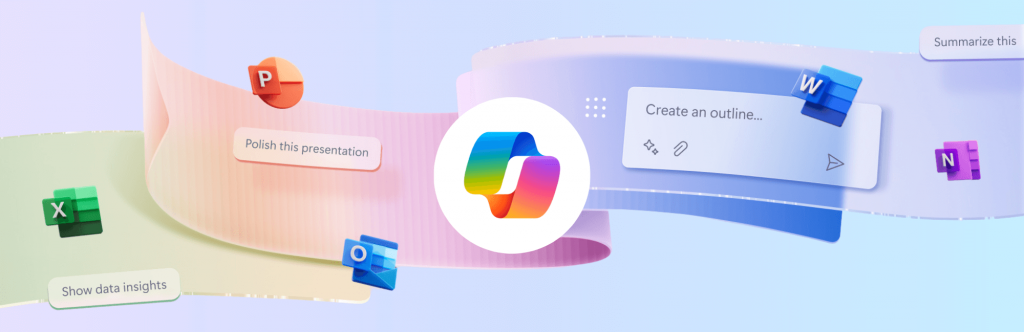
The biggest change across Microsoft’s product line is the deep integration of Copilot (Microsoft’s generative AI assistant) across Word, Excel, Outlook, Teams, PowerPoint and throughout Windows 11 too.

Copilot integration illustration

What can Copilot do:

  • In Word: Copilot can draft, summarise, and re-format documents based on your notes or previous files.
  • In Excel: it helps analyse trends, generate formulas, and even explain what data means in plain language.
  • In Outlook: it summarises long email threads and suggests responses.
  • In Teams: it can capture meeting notes, assign actions, and identify follow-up items automatically.
  • In PowerPoint: it can turn your notes into polished slides complete with imagery and speaker notes tailored for different length presentations.

Windows 11 packs native AI capabilities across the entire OS, enhancing usability and security. Some of the Windows AI features include:

  • Windows Copilot Sidebar: an AI-powered assistant built into your Windows Desktop. It can adjust settings (“Turn on Focus Assist”), summarise web pages, generate text, or integrate with plugins from your business apps.
  • AI-powered Search: improved context recognition helps you find settings, files and emails faster than ever before.
  • Windows Studio Effects: for Teams and video calls, AI now auto-frames your camera, filters background noise and enhances your lighting automatically.
  • Security Intelligence: Defender and Smart App Control use AI to identify new malware patterns, offering better zero-day protection without requiring manual intervention.

How SMEs can use Copilot effectively:

Start small – choose one or two scenarios where staff spend repetitive time (for example, summarising meeting note, creating reports or generating similar documents) and use Copilot to assist or fully handle that workload. It is important though, that you encourage your team to review any AI output and not to just accept it blindly. This approach ensures accuracy and helps maintain your business’s tone, personality and professionalism.

Copilot and Security

As AI tools like Copilot interact with your business data—emails, documents, chats, and more—security and governance are more important than ever. Copilot works with the information each user can access, so it’s vital to ensure staff permissions follow the principle of least privilege: users should only have access to the data they genuinely need. This prevents accidental exposure of sensitive information and keeps your data environment tightly controlled.

Because Copilot operates within Microsoft’s cloud ecosystem, it relies on data being stored in OneDrive or SharePoint. This cloud-based setup brings powerful security capabilities, but it also requires thoughtful planning to align with your organisation’s existing policies and compliance requirements. Taking the time to configure access controls and review data-sharing settings helps ensure that AI is used safely and responsibly.

Many of Copilot’s features depend on the latest versions of Windows 11 and Microsoft 365, so keeping systems up to date is essential for both functionality and security. It’s equally important to educate your team—helping them understand how Copilot works and when not to share sensitive or confidential information in AI prompts. Ideally, your organisation should also have centralised management in place to control device settings, user permissions, and Copilot access consistently across your business. With clear policies, updated systems, and managed access, you can enjoy all the benefits of AI without compromising on security.

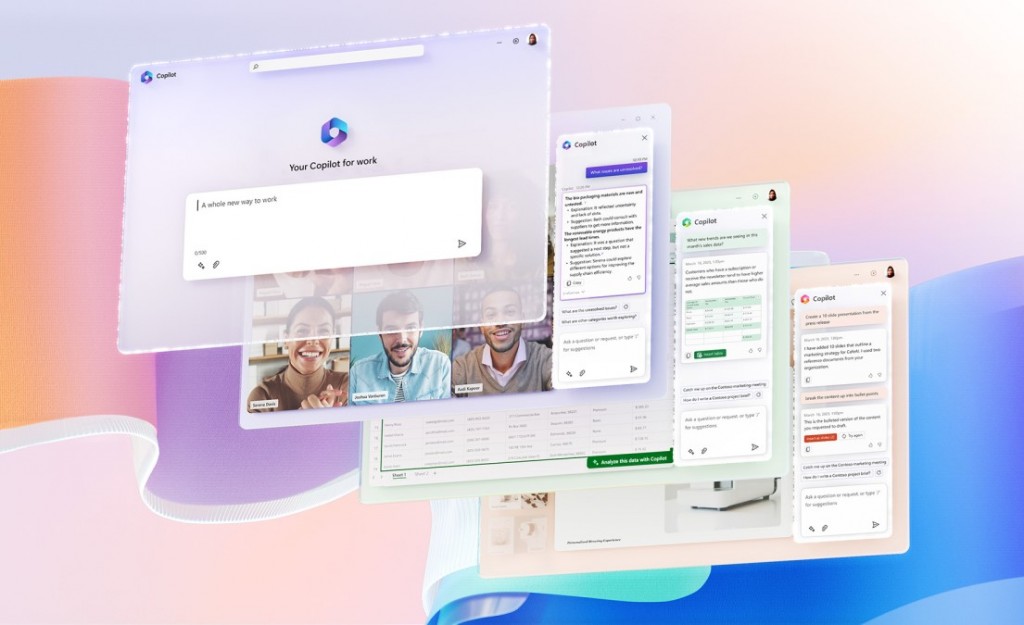
Layered 365 app windows, featuring Copilot sidebars

Expert Consultancy, Planning and Implementation: Advised

While many of these AI tools feel intuitive to use, they also introduce serious security considerations that shouldn’t be overlooked. Once data moves to the cloud, it’s difficult to undo mistakes, so having the right controls, permissions, and governance in place from the start is essential.

You don’t need to navigate this AI-landscape alone

As a Managed Service Provider and certified Microsoft Partner, Hedgehog IT can help you assess your business’s readiness for Copilot and other AI tools. We’ll ensure your data access and security settings are correctly configured, enable the right features safely, and provide training so your team can use AI effectively. We can also help you measure return on investment to understand where AI is saving time or adding value.

The goal isn’t simply to “switch on” AI – it’s to integrate it thoughtfully into your existing workflows, supporting productivity and security in equal measure.

If you’re curious about how AI could fit into your business, or want to explore where to start, we’d be happy to have a chat. Contact us

Post Tag icon 365 Copilot How To... Microsoft Windows 

Strengthening Identity & Verification in an Age of AI-Impersonation

27th May 2025

IT Security icon

As AI-powered tools become more sophisticated, the risk of impersonation attacks is rising sharply. Deepfake audio and AI-generated text and even video can now convincingly mimic colleagues, clients or management, making traditional security measures like simple multi-factor authentication (MFA) less reliable. For small and medium-sized businesses, this evolving threat highlights the critical need to re-evaluate identity and verification processes and protocols.

Attackers exploiting identity gaps can bypass passwords, request fraudulent transactions or gain access to sensitive information. Even a single compromised account can lead to financial loss, reputational damage or regulatory penalties. Simple MFA, while still important, is no longer sufficient on its own – additional layers of verification are increasingly becoming essential.

Illustration of MFA and ID verification

SME’s and businesses should consider enhanced identity solutions such as biometric verification-compatible hardware, adaptive MFA, behavioural analytics and independent confirmation of high-risk requests.

For example, flagging unusual access patterns or requiring secondary approval before executing sensitive actions can prevent costly mistakes and ensure legitimacy. Training staff to recognise suspicious communications and verifying unusual requests externally adds another crucial layer of defence.

Hedgehog IT can take care of all of this for you. From assessing your current identity security, recommending the best tools, to implementing and configuring systems to suit your organisation’s workflow, we ensure that verification measures are robust, seamless, and importantly; easy for staff to use.

The resulting benefits are clear;- reduced risk of account compromise, greater confidence in remote and hybrid working, faster detection of unusual activity, and a stronger overall security posture. With the right identity and verification strategy in place, your business can operate securely and efficiently, even as AI-driven threats continue to evolve.

To have your setup evaluated and learn more or discuss your specific situation with us, get in touch. We’d be happy to listen and advise.

Post Tag icon Artificial Intelligence Security 

Hedgehog IT partner ESET, wins Product of the Year Award!

4th March 2025

ESET Security logo

ESET has been awarded, AV-Comparatives’ 2024 Product of the Year, having received the highest Advanced+ Award in all 7 tests last year. ESET also received a host of other awards in several other categories too.

At Hedgehog IT, we choose to implement and work with ESET for their exemplary suite of protection tools and their dependable reliability within all settings and environments in which we deploy. Their software is light-weight which mitigates almost all impact on user experience whilst providing award winning protection from online threats.

You can read more about the testing and analysis done by AV-Comparatives’ on their vendor page if you’d like to dig a little deeper on what makes ESET our primary pick for IT security and anti-virus protection.

To consult with us and discuss your systems’ security in depth or receive a free security audit, speak with one of our consultants about how we can ensure your protection is up to scratch and as dependable and as can be.

Post Tag icon ESET Security 

New Surface Laptop 7 and Surface Pro 11 Copilot+ devices released for business

3rd March 2025

The new Surface Copilot+ PCs aim to boost user productivity, streamline tasks with AI, enhance security, and support businesses in adopting cutting-edge technology.

With improved battery life, faster performance, and sustainable features, the Surface Laptop 7 and Surface Pro 11 are designed to meet the demands of modern, flexible, and secure workplaces.

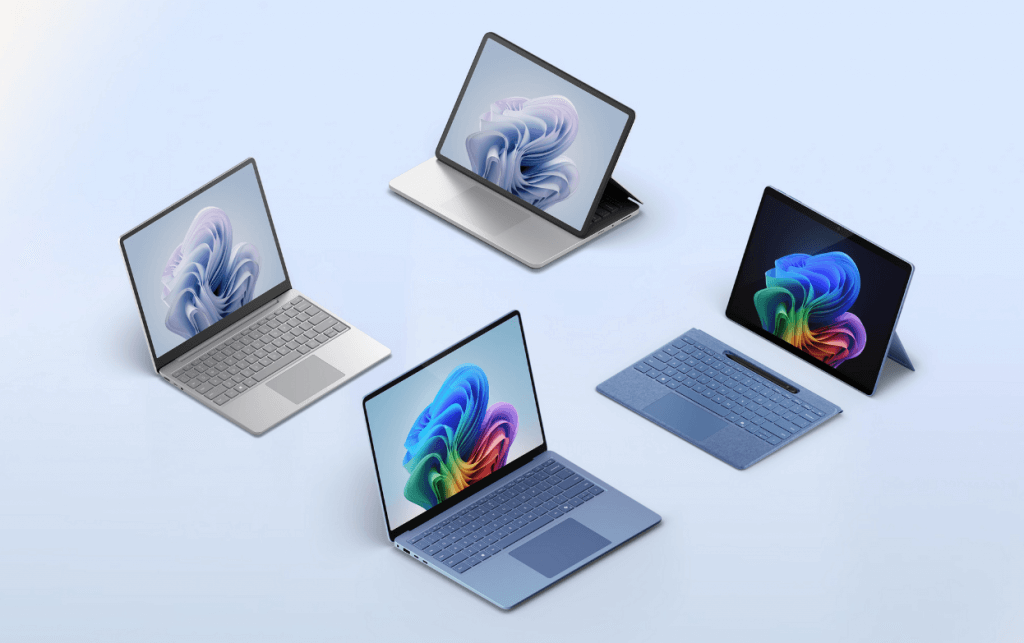
Surface Laptop 7 and Pro 11 Copilot+ devices

Some of the key features that make these new systems so great, include:

Enhanced Performance: These devices are designed for faster multitasking and improved productivity, delivering up to 26% faster performance compared to previous models. The improvements allows the running of multiple apps smoothly and so completing tasks more efficiently.

AI Integration: With built-in support for Microsoft 365 Copilot, the Surface Copilot+ PCs leverage AI to help users automate tasks, analyse data, and improve productivity. AI tools will assist in tasks like summarising documents, creating content, and providing smart search results.

Longer Battery Life: The new devices are optimized for up to 3x longer battery life, enabling users to work for extended hours without the need to recharge – ideal for users on the go.

5G Connectivity: The Surface Laptop for Business will come with 5G support in late 2025, providing fast and reliable internet connections, even when users are working remotely or in areas without strong Wi-Fi access.

Security Enhancements: Built with Pluton security processor and Secured-core PCs, the new Surface devices provide enhanced protection against cyber threats. They feature built-in biometric security with Windows Hello and BitLocker encryption, ensuring that sensitive business data stays safe.

Sustainability: Microsoft has made sustainability a priority by incorporating more recycled materials into the design of these devices and the new cobalt-free battery cells, make them even more environmentally friendly too.
Surface Laptop 8 and Surface Pro 12 are powered by the latest Intel Core Ultra processors (Series 2) and offer significant improvements in performance, security, and AI capabilities. Businesses can choose from Intel or Snapdragon-powered devices with numerous configurable options for memory and storage combinations available.

Talk to us to discover the new Surface Copilot+ devices, discuss suitable configurations and how we can help integrate them into your business.

Post Tag icon Copilot Hardware Intel Microsoft Surface 

Microsoft to Shut Down Skype: A Brief History of the Iconic Communication Platform

28th February 2025

Skype logo

Microsoft has announced the end of an era: Skype, the widely used video and voice communication tool, is being phased out in favor of Teams, Microsoft’s enterprise-focused collaboration platform. While this shift may come as a surprise to many long-time Skype users, it marks the end of a significant chapter in online communication.

Skype will shut down in just over two months. Microsoft has confirmed 5th May 2025 as the cut-off date.

The Shift to Teams

Microsoft’s decision to shut down Skype aligns with its broader strategy to consolidate business communication under the Teams umbrella. Over the years, Teams has gained traction as a unified workspace, integrating chat, video calls, and file sharing with its userbase doubling multiple times since 2020. Skype, once the dominant name in online communication, has seen its role shift from consumer-focused to a supplementary service.


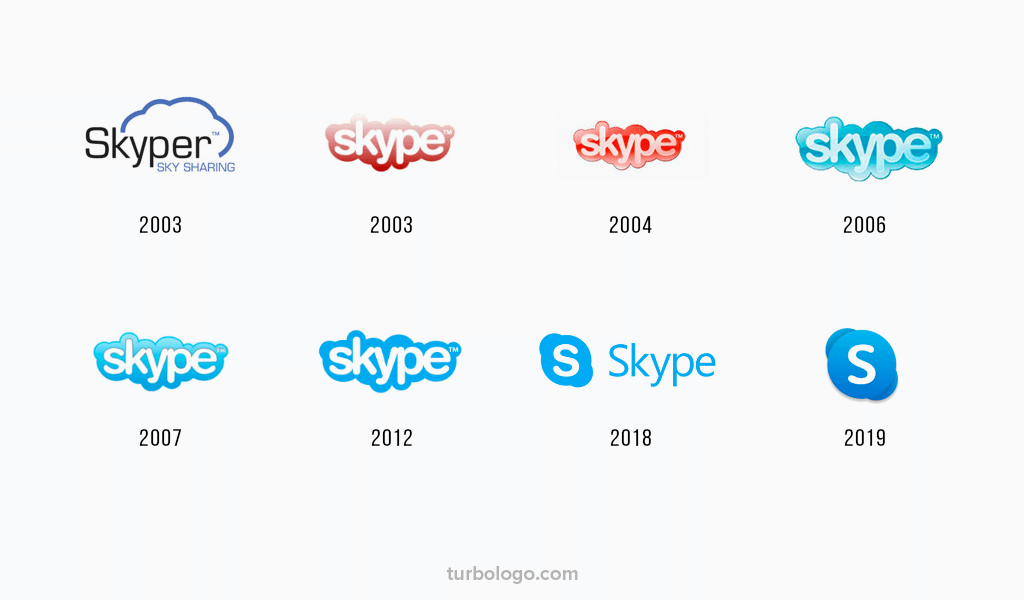
Skype logo history
A dated history of Skype’s logo versions


Skype: A Breif History

2003 – Founding: Skype was originally developed by a group of Estonian and Swedish developers. The service was launched in 2003, offering internet-based voice calls competely free of charge. This was revolutionary at the time!

2005 – Acquisition by eBay: Just two years after its launch, Skype caught the attention of eBay, who bought the platform for $2.6 billion. This acquisition helped Skype expand its user base and added features like instant messaging.

2011 – Acquired by Microsoft: After several years under eBay’s ownership, Microsoft purchased Skype for $8.5 billion, its largest acquisition at the time. This integration led to Skype being embedded into Microsoft’s suite of products, including Windows, Office, and Xbox.

2014 – The ‘for Business’ Era: Microsoft launched Skype for Business, a professional version of the platform that integrated with Microsoft’s Office 365 services. This move signaled the company’s intent to position Skype as a tool for both personal and professional communication.

2020′s – Decline in Consumer Use: While Skype still maintained a presence in the consumer market, platforms like Zoom, Google Meet, and FaceTime began to overshadow it. Microsoft pivoted to focus on Teams, which was rapidly becoming the go-to platform for business collaboration, especially during the pandemic.

2025 – End of an Era: This week, Microsoft confirmed it will gradually shut down Skype. Teams will take its place as the central communication tool for both personal and professional use, leaving Skype’s legacy, as a platform that fundamentally changed how we communicate online.

Skype’s Legacy

So after revolutionising how people connected and communicated globally, Skype will soon be retired as Microsoft consolidates its communication tools. From its early days as a simple voice-calling platform to its integration into Microsoft’s larger ecosystem, Skype will always be remembered as a pioneering force in online communication. As Microsoft transitions fully to Teams, many will reminisce about the golden days of Skype but recognize that change is essential for future innovation.

Post Tag icon Microsoft Skype